Serving Savannah, GA & Austin TX

.png)
Mon - Sunday: 8am- 8pm

.svg)
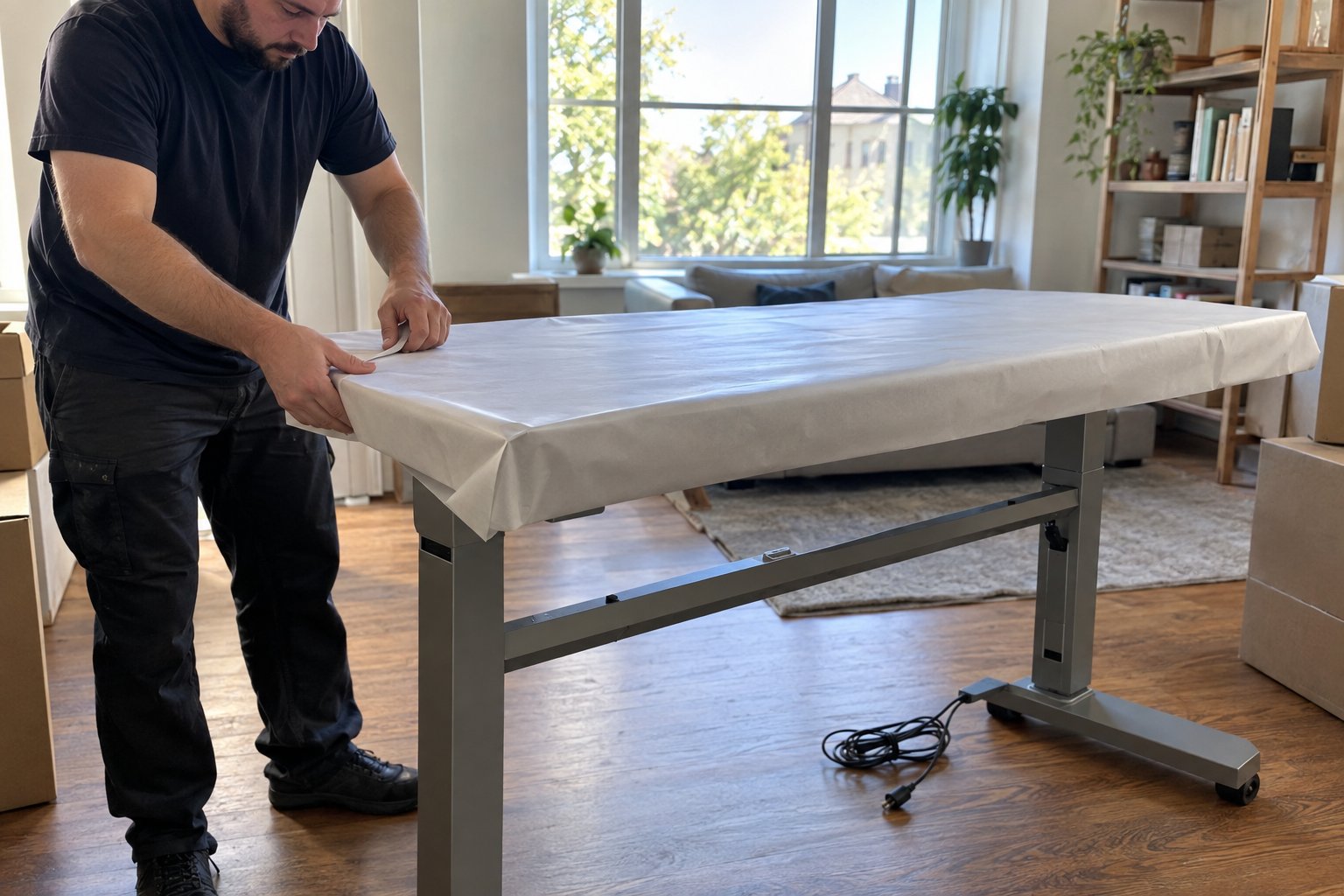
Moving a standing desk safely comes down to protecting the electric lift motor, disconnecting cables the right way, and separating the base from the desktop before it ever goes near a truck. Unlike a fixed-height desk, a standing desk has moving internal parts, a control panel, and often a heavier base than people expect. Skip the prep and you risk a jammed motor, a cracked laminate top, or a control panel that no longer talks to the legs once it is plugged back in.
More home offices now include a sit-stand desk, a second monitor arm, and a tangle of cables that never quite got labeled. If you are relocating a home office or an entire company floor, here is how to handle a standing desk and the equipment around it so everything works on the other end.
Lower the desk to its minimum height before you unplug anything. This relieves tension on the lifting columns and makes the base far easier to lift and load. Once it is at the lowest setting, power it off at the wall, not just at the control panel, since some models retain a small charge.
Take a photo of the cable routing and the underside of the desktop before you touch anything. Standing desks route power cords and often a data cable for the control panel through clips or a channel under the top. Photographing this now saves guesswork during reassembly. Remove any monitor arms, cable trays, or under-desk storage separately. These are usually held on with clamps or bolts that can shift or snap if the desktop is tilted while they are still attached.
Unplug the motor cables at the leg connections rather than cutting or leaving them stretched. Coil each cable and secure it with a twist tie or tape, then label which leg it belongs to if your desk has more than one motor. Wrap the control panel itself in a layer of packing paper or bubble wrap and tape it lightly to the underside of the desktop so it does not dangle during transport.
In most cases, disassembling the frame from the desktop is worth the extra ten minutes. A standing desk base is usually the heaviest and most awkward part of the piece, and separating it from the top means two lighter, more manageable loads instead of one bulky one. Use the manual or the labeled photos from setup to find the bolts connecting the legs to the top, since most sit-stand desks use a simple bracket and screw system.
If the frame will not come apart easily, or the model uses a permanently fixed crossbar, it is usually safer to move the whole unit assembled and standing upright, with the motor supported so it is not bearing weight sideways. Never lay a standing desk flat on its motor housing for an extended period, since the housing is not designed to support the desk's full weight from that angle.
Monitors and computer towers need their own box, never a shared box with heavier items on top. A TV box works well for larger monitors since it has enough depth to add padding on all sides, while smaller monitors and computer towers do fine in a padded medium box with crumpled paper filling every gap.
Keyboards, mice, and small accessories should go into a labeled box together, ideally the same box or bag so nothing gets left behind in a drawer. Loose cables are the number one thing people lose track of during an office move, so a dedicated small box or a large zip bag labeled by device saves real time on setup day. If you are moving several workstations at once, such as a small business relocation, number each desk setup and match the boxes to that number instead of relying on memory.
A standing desk frame should travel upright with its legs resting on a moving blanket, not stacked flat under other furniture. If the frame and top are separated, the desktop should be transported the same way a tabletop is: on its edge, braced against the truck wall, and never used as a shelf for boxes. Wrap the desktop's corners and any exposed edges with corner protectors or folded cardboard, since laminate and veneer surfaces chip easily under pressure from straps or shifting cargo.
Secure the frame with straps against the truck wall so the motor housing cannot bang against other items during transit. If you are moving heavier office furniture like filing cabinets or bookcases along with the desk, load those first and lower so the desk components sit on top, never underneath.
For a single desk, most people can manage the disassembly and packing themselves with an hour of patience. For a full home office setup with multiple monitors, a server or NAS unit, and specialty furniture, or for an entire commercial office move, professional movers save real time and reduce the risk of a damaged motor or a lost cable that stalls your first day back at work.
BC Brothers Moving handles both home office relocations and full commercial moving services for businesses across Savannah, including electronics, desks, and the equipment that keeps an office running. Our crews know how to handle motorized furniture and sensitive electronics without treating them like standard boxes.
The most common mistake is moving the desk at full height instead of lowering it first, which puts unnecessary strain on the lifting columns and makes the piece top-heavy and unstable to carry. A close second is leaving the control panel dangling by its cable, where it can catch on a doorway or get crushed against another item.
Other frequent errors include stacking boxes on top of a flat-laid desktop, using packing tape directly on painted or laminate surfaces (which can pull off finish when removed), and forgetting to photograph cable routing, which turns a five-minute reassembly into a half-hour puzzle. Taking the extra time on the front end almost always pays off once you are unpacking in the new space.
BC Brothers Moving & Storage is a locally owned, licensed and insured moving company rated 4.9 stars across 800+ reviews. Residential, commercial, long-distance, packing and storage — handled by one crew.
Movers in Savannah·Residential Moving·Packing Services·Long-Distance Moving·Storage

.svg)








.svg)
.svg)